
A Mini PC for a Home Lab: What Actually Matters
A mini pc for a home lab solves a specific problem: you want an always-on machine for containers, DNS, backups, media, and maybe a small model, without a tower that eats a shelf and pulls three hundre
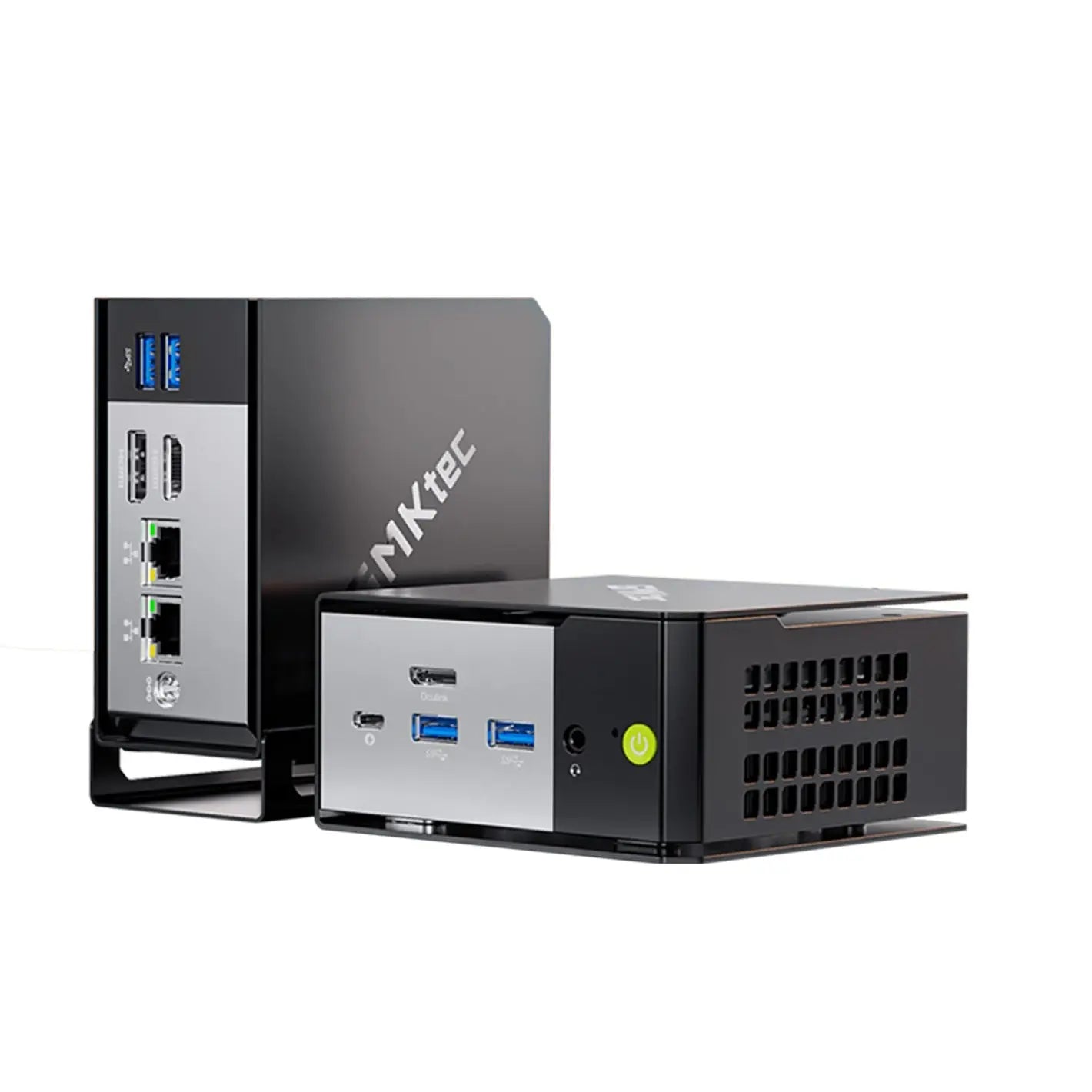
A mini pc for a home lab solves a specific problem: you want an always-on machine for containers, DNS, backups, media, and maybe a small model, without a tower that eats a shelf and pulls three hundred watts at idle. The constraint is rarely raw processor speed. It is memory, storage flexibility, and how the chassis handles heat in a small space. Start with memory. A home lab lives or dies on how many services run at once, and each container has a footprint. A unit with two SO-DIMM slots that accepts 64 to 128GB gives room for a virtualization layer, a handful of services, and a local model without constant swapping. The GMKTec EVO-X1 fits that brief: a 12-core Ryzen AI 9 HX 370, a Radeon 890M for light transcoding, and an NPU that handles small on-device tasks without waking the CPU. Storage is the second decision. Look for at least two M.2 slots so the operating system and containers can live separately from bulk media, and check whether the chassis takes a 2.5-inch drive if you want cheap capacity. On networking, 2.5GbE is worth having if you move large files between the lab and your desktop. Honest limits: a compact home server is not a storage array, and a mini PC is not built for a rack. If you need eight drives or ECC memory, this class is the wrong tool. For everything from DNS filtering to a private Git server to a small inference endpoint, a mini pc for a home lab is the quiet, low-power option that actually gets used.
GMKTec EVO-X1
This GMKTec mini PC is the value end of the Ryzen AI range, for buyers who want the 890M graphics engine and a neural processor without paying for the Pro tier above it. The Ryzen AI 9 HX 370 inside is a twelve-core Zen 5 part boosting to 5.1GHz, a generation step below the HX 470, with the same Radeon 890M of 16 RDNA 3.5 compute units and a 50-TOPS XDNA 2 neural chip for 80 platform TOPS. In everyday chat and coding the difference from the pricier chip feels small, since the graphics engine does most of the token work and the neural chip steps down by only a few TOPS. That makes quantized 7B through 27B models practical, with 27B comfortable for chat when memory is configured well, plus document search, batch OCR, transcription, and image tasks at modest scale. Memory configuration varies by listing between LPDDR5 shared memory and DDR5, so verify the installed size and type on the exact unit, and choose a 64GB build when local AI is a serious part of the plan, because capacity is the main lever on model size and context. Storage uses two M.2 2280 PCIe 4.0 x4 slots for system and library drives, and a compact chassis suits a shelf, media cabinet, or desk edge. USB4 at 40 gigabits per second, an OCuLink PCIe 4.0 x4 port for a future external graphics dock, 2.5-gigabit Ethernet, Wi-Fi 6E, and Bluetooth 5.3 support always-on file serving, media, routing, and light inference together. Keep model files on the larger drive so downloads never crowd the working system volume. Buyers who want a fixed finished memory pool should step up to the EVO-X1 Pro, while budget-minded buyers get the smarter spend here.
- Chip tier
- HX 370
- Memory
- LPDDR5/DDR5 (config-dependent; verify installed size)
- TOPS
- 80
- Storage
- M.2 2280 NVMe PCIe 4.0 x4 (2 slots)