
Run AI Locally for Privacy: Keeping Prompts on Your Own Machine
The case to run AI locally for privacy comes down to one question every business should ask: where does the text of a prompt actually go? When you paste a contract clause, a customer list, or a medica
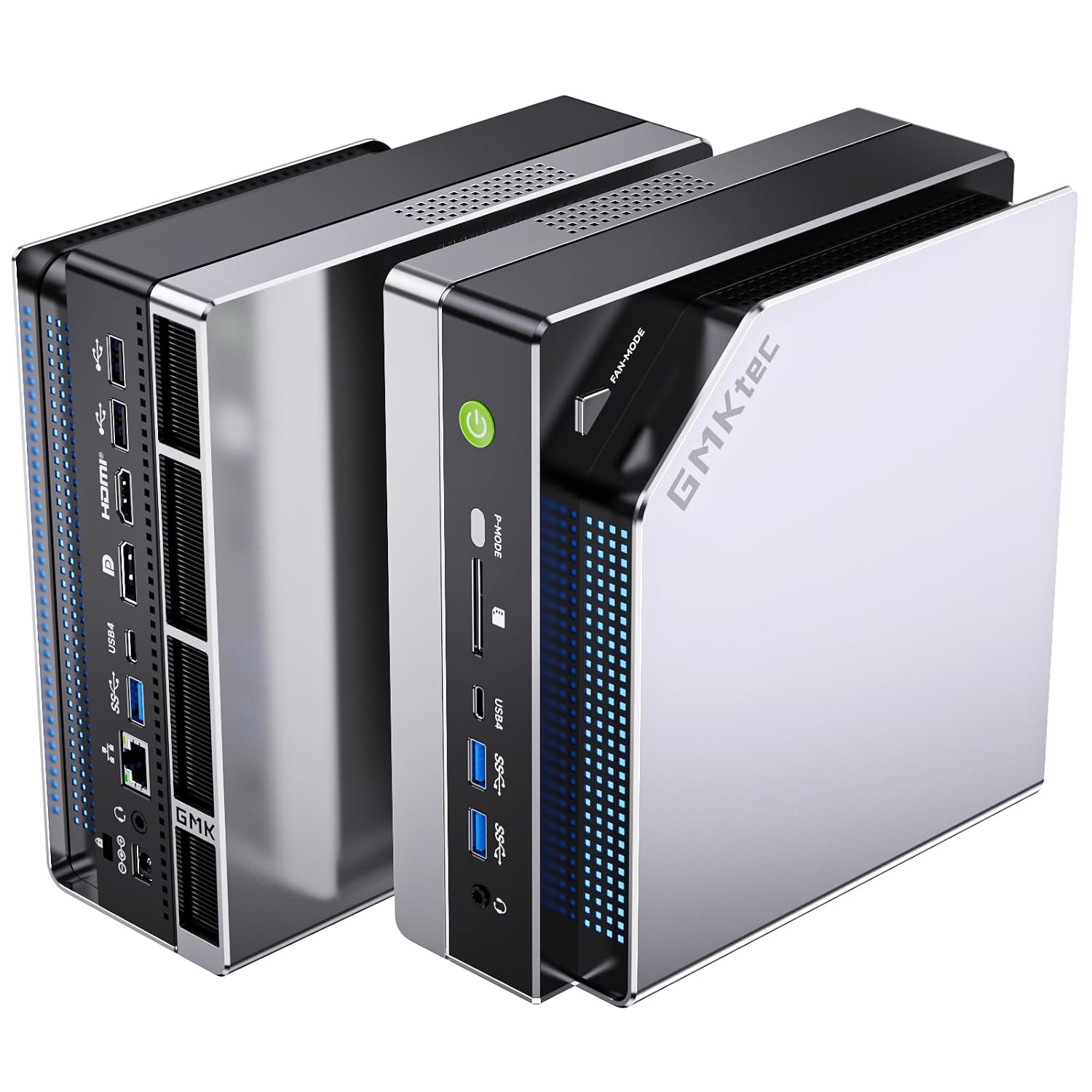
The case to run AI locally for privacy comes down to one question every business should ask: where does the text of a prompt actually go? When you paste a contract clause, a customer list, or a medical note into a hosted chatbot, it leaves your machine and lands on a provider's servers under their retention policy. Running the model on hardware you own removes that trip entirely, because the prompt and the answer stay on your drive. That used to require a workstation with a discrete GPU. It no longer does. A current mini PC with a wide unified memory pool can hold a 27B-class model in 4-bit quantization and answer at conversational speed, with the weights sitting on local storage. The GMKtec EVO-X2 is the clearest example in this category: a Ryzen AI Max+ 395 with 128GB of LPDDR5X, most of which the Radeon 8060S can address directly, so larger models fit without splitting across two machines. Two limits are worth stating plainly. Local privacy only covers work you actually keep local, so pasting the same text into a cloud chat afterward undoes the benefit. And a 27B local model is not a frontier system. It is strong at drafting, summarizing, and answering questions about documents you supply, and weaker at the hardest reasoning. The workable habit for a private local AI setup: keep the sensitive half on the machine, and send only sanitized, non-identifying questions out when the extra capability matters. For anyone who wants to run AI locally for privacy, the EVO-X2 page in this category covers the memory configuration that makes it practical.
GMKtec EVO-X2 (Ryzen AI Max+ 395, 128GB LPDDR5X / 2TB)
This GMKTec desktop is the compact end of the Strix Halo class, for people who want the largest models that will fit in a desk-sized machine. The Ryzen AI Max+ 395 provides sixteen Zen 5 cores and thirty-two threads to 5.1GHz with 64MB of L3 cache, the Radeon 8060S adds 40 RDNA 3.5 cores, and a 50-TOPS XDNA 2 neural processor brings combined output to 126 TOPS. Memory is the reason to buy it, with 128GB of LPDDR5X-8000 soldered on board and up to 96GB assignable as graphics memory through AMD software, so weights and context share one pool without the VRAM wall that caps most compact desktops. That supports 30B through 70B quantized models, on-device image generation alongside a chat session, document retrieval, batch OCR, transcription, and vision pipelines, and the vendor cites even larger models at reduced precision within the same pool. Storage starts at 2TB of PCIe 4.0 NVMe with a second M.2 slot taking expansion to 8TB for a full library. Ports include dual USB4 at 40 gigabits per second, three USB 3.2 Gen2 ports, two USB 2.0 ports, HDMI 2.1 to 8K and 60Hz, DisplayPort 1.4, Wi-Fi 7, Bluetooth 5.4, an SD 4.0 reader, and a single 2.5-gigabit Ethernet port supplied through an external power pack. A triple-heat-pipe stack with dual CPU fans plus a DDR and SSD fan keeps the sealed tool-less chassis steady under sustained load. Plan a single large model resident at a time so context and weights fit comfortably together in the shared pool. The memory is a fixed ceiling that cannot be expanded, some listings mislabel the graphics engine while the spec table identifies the Radeon 8060S, and the single wired port trades against workstation-class alternatives with more expansion.
- Chip tier
- Strix Halo (Max+ 395)
- Memory
- 128GB LPDDR5X-8000 unified (8x16GB channels, soldered/non-replaceable; shared CPU+GPU) — S
- TOPS
- 126
- Storage
- 2TB PCIe 4.0 M.2 2280 NVMe pre-installed; second M.2 2280 slot for expansion up to 8TB tot