
Local AI for Photo Editing: What Works on a Desktop
Local AI for photo editing has become practical for a specific set of jobs: denoising, upscaling, background removal, subject masking, and object removal. These are tasks where a model runs on your ow
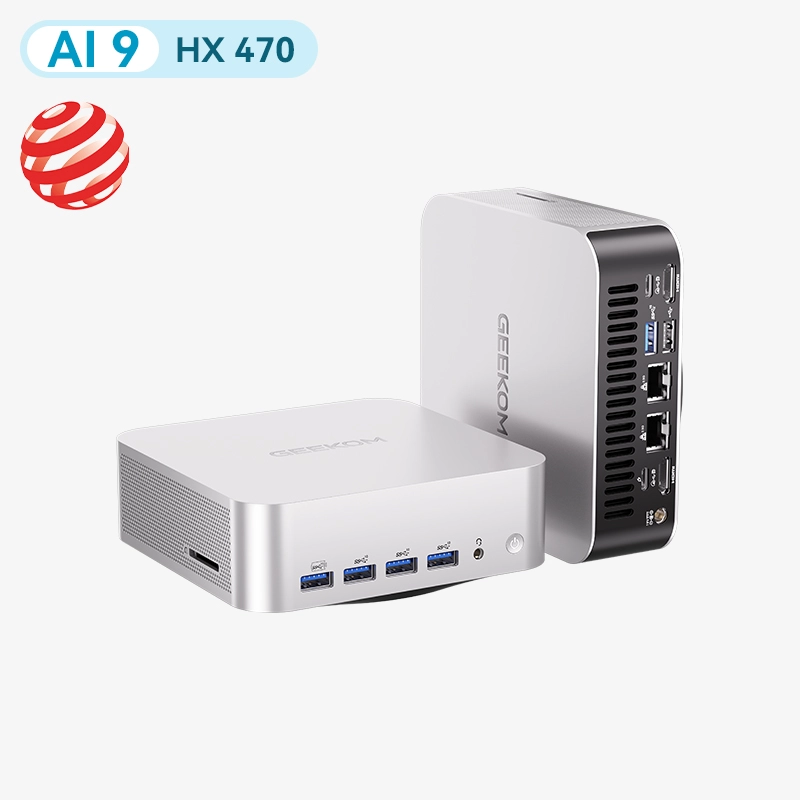
Local AI for photo editing has become practical for a specific set of jobs: denoising, upscaling, background removal, subject masking, and object removal. These are tasks where a model runs on your own GPU and returns a result in seconds, with no upload of a client's raw files and no per-image credit meter. The hardware question is mostly GPU memory and the model's working set. A mini PC with a strong integrated GPU and 32 to 64GB of system memory handles most editing models comfortably. The GEEKOM A9 Max, with its Ryzen AI 9 HX 470 or 370 and dual DDR5 slots up to 128GB, is a sensible reference in this category. The NPU covers lighter always-on tasks while the Radeon 890M does the heavier pixel work. What to expect is uneven, and that is useful to know before you buy. Batch denoise and upscale across a few hundred photos is where local wins, because the cloud alternative is slow or metered. Generative fill and heavy object removal are better on a large discrete GPU, and a mini PC will feel slower there. Color management and RAW handling still come from your editor, not the model. The honest way to adopt offline creative AI is to start with the repetitive, well-defined jobs and keep the judgment-heavy edits in the workflow you already trust. If you are weighing local ai for photo editing against a cloud subscription, the deciding factor is usually how much of your work you are unwilling to upload. The A9 Max page in this category covers the memory configuration that lets a desktop-sized machine handle a full shoot without swapping.
GEEKOM A9 Max (2026 Edition)
This GEEKOM desktop is the most capable machine in the A-series for people whose main work is local AI, agents, and always-on services. It pairs the Ryzen AI 9 HX 470 in twelve-core, twenty-four-thread Zen 5 form to 5.2GHz with the Radeon 890M and a 55-TOPS XDNA 2 neural processor for up to 86 platform TOPS, and the HX 370 variant steps the speed down slightly for lower-priced builds. Memory is where this tier earns its place, with two DDR5-5600 SO-DIMM slots taking a 32GB starting build to 128GB when socketed and upgradeable, so a quantized 14B model runs comfortably from day one and a 27B model fits with room for a long context after an upgrade. Storage uses one M.2 2280 plus one M.2 2230 slot for up to 8TB combined, keeping the system drive and a model library separate without external enclosures. IceBlast 3.0 cooling holds a sustained 54W profile for long inference or agent runs, and dual 2.5-gigabit Ethernet plus Wi-Fi 7 keep an always-on service reachable on wired or wireless links. Dual USB4 ports at 40 gigabits per second and dual HDMI 2.1 FRL outputs drive up to four 4K displays for a workstation setup, with an SD 4.0 reader, Bluetooth 5.4, and an included VESA mount for clean desks. Windows 11 Pro ships preinstalled, and the box also works as a Linux host for native AI tooling, retrieval over local files, batch OCR, transcription, vision checks, and scheduled agents. Within GEEKOM's lineup the A7 leans toward creators, the A8 toward general work, and this model toward AI, so buyers without an NPU need can save money, while buyers who want the newest silicon and highest memory ceiling have found the right tier.
- Chip tier
- HX 470
- Memory
- DDR5 5600 SO-DIMM, up to 128GB (dual slot, upgradeable)
- TOPS
- 86
- Storage
- 1x M.2 2280 + 1x M.2 2230 NVMe PCIe 4.0 x4 (up to 8TB total)