Why an agent is a different machine than a chatbot
An AI agent is not a chatbot. A chatbot completes a task and goes idle. An agent is a program that keeps a model in a loop for hours or days at a time, calling tools, reading and writing files, making decisions, and reacting to the world around it. The economics and the hardware requirements of that are completely different from a person typing questions into an assistant, and this is the use case where a local machine stops being a curiosity and starts being the obvious infrastructure. This article is about running those agents, things built on harnesses like Hermes and OpenClaw and the broader crop of coding-agent and automation frameworks, on hardware you own, and why that hardware has to be a different animal than a phone or a laptop.
The first property that decides the hardware is simply that the thing never sleeps. A chatbot is on for the minutes you use it. An agent is on twenty-four hours a day, seven days a week, because the work it is doing, a long build, a scheduled job, a monitoring loop that reacts to a webhook, a research task that takes hours, only finishes when it is done, and you are not going to be in front of a laptop waiting. That means the machine has to be something you would happily leave running continuously: low enough at idle to not bill you in electricity or make a noise, stable enough to survive a month on, and small enough to live somewhere permanent. That is a mini-PC, or a small desktop, and it is not an accident that the whole local-agent movement has converged on exactly that hardware. A laptop will not do, it closes its lid, it goes to sleep, it has a fan that degrades, and it is designed to be carried, not to live on a shelf for years.
The second property is the memory, which is different in kind from the memory a chatbot needs. An agent runs a model for inference, which is the same requirement as before and sets the same ceiling, but it also runs everything around the model on the same machine: the harness code, the tools it calls, the files it is manipulating, the browser or terminal it may be driving, and sometimes several model instances or a small local retrieval index for long-running memory. All of that shares the same memory pool. That is why the agents-on-local movement has generally landed on thirty-two to sixty-four gigabytes rather than the minimum the model alone would demand. The model is not the only resident, and if the harness context grows, or you run two agents, or you add a vector store for the agent's long-term memory, the extra memory is what lets the whole rig hold. Under-provision memory and the machine swaps, and a swapping agent is an agent that is effectively off the clock, which defeats the entire point of running one.
The third property is the network, and this is the one people forget. An agent is a node on your network that is always up, always reachable, and often the coordinator for other things. It needs a wired connection it will not drop, a stable address, and access to whatever it is talking to: the model is local, but the task is not, an agent is very often reading from a repository, pushing a document, calling an API, or messaging a service. That is a second reason the machine is a mini-PC with proper network ports and stays connected, not a device you carry around. It also means the machine should live where your network lives, next to the switch or the router. The agent is less a 'computer I use' and more a small service I operate, and the hardware should be chosen like a small server: permanent, connected, unattended.
The fourth and most subtle property is that the machine has to survive a reboot and pick the agent back up. A long-running agent that crashes and does not resume has wasted the hours it spent, and a flaky machine will crash. That argues for a platform and firmware that is stable, a power supply that will not brown out, a cooling solution that will not thermal-throttle a month into continuous operation, and software that the agent harness can treat as a real system to boot into. The reason this has all landed on the AMD APU mini-PC is that these machines are, at heart, small computers engineered to sit somewhere and run for years, which is exactly what an unattended agent needs. They are not built to be the most powerful thing in the room, they are built to be the thing that is always on, always reachable, and quiet, and that is the profile of the correct agent host.
So what does a good agent-hosting setup look like? It looks like a mini-PC with an RDNA 3 integrated core and enough memory to hold a 27B model plus the harness with room, wired into the network where it lives permanently, running a local inference server so the model is always loaded and available, with the agent framework pointed at it, and with the machine configured to wake, resume, and keep working through a power blip. The model is the brain, the harness is the body, and the machine is the spine that holds both up around the clock. You buy it once, it draws pennies a day whether or not it is busy, it never loses its work when a provider changes a price or pulls a model, and it is reachable wherever your network is. That is the agent-hosting pitch, and it is a pitch that only makes sense on hardware you own. The alternative, renting an always-on cloud node for an always-on agent, is the same meter-by-meter problem all over again, except now the meter is running whether you are using the result or not. Run the agent on your own machine and the brain, the body, and the spine all stop being someone else's bill.
Machines for this topic
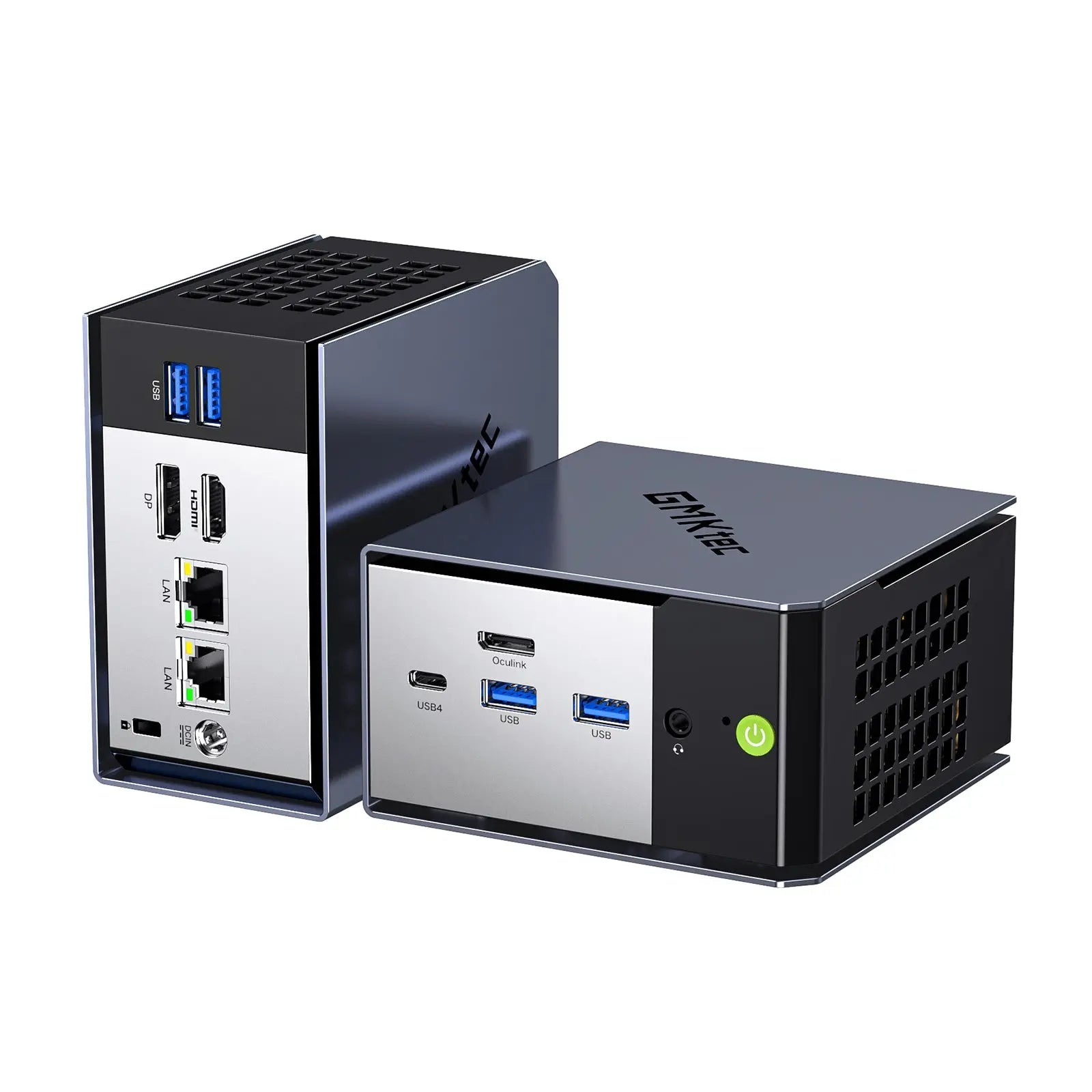
This GMKTec desktop is built to be set up once and left running, for people who want local AI available every day without ongoing hardware projects. The Ryzen AI 9 HX 470 provides twelve Zen 5 cores to 5.2GHz, the Radeon 890M handles quantized inference, and a 55-TOPS XDNA 2 neural processor offloads small always-on tasks so the main engines stay free for models. Memory is 64GB of LPDDR5 at 6400MT/s soldered on the board in a chassis of roughly 0.6 to 0.7 liters, which gives 14B through 27B inference comfortable headroom, including a quantized 27B model with a long context that would push a 32GB box into swap. Because the memory is soldered, there is no later upgrade, and GMKTec is selling a finished appliance rather than a platform to build, which suits a household or workgroup that prefers stability over tinkering. The OCuLink port over PCIe 4.0 x4 remains the long-term escape hatch, since a discrete card can upgrade graphics without replacing the machine. Storage runs across two M.2 slots to 16TB for weights, datasets, and media, while USB4 at 40 gigabits per second, triple 8K display output, dual 2.5-gigabit Ethernet, Wi-Fi 7, and Bluetooth 5.4 cover desktop and server duties. Dual wired ports keep an agent service or inference queue connected, preinstalled tooling lowers the friction of loading a first model, and the neural chip handles background sensing. Keep the system and library on separate drives so a full volume never stalls the desktop, and place the machine where airflow stays clear during overnight inference runs. Buyers planning for 96GB or 128GB in a few years should choose a socketed platform instead, and budget-minded buyers can start one step down with the EVO-X1.